 Lemon wiki
Lemon Slicer
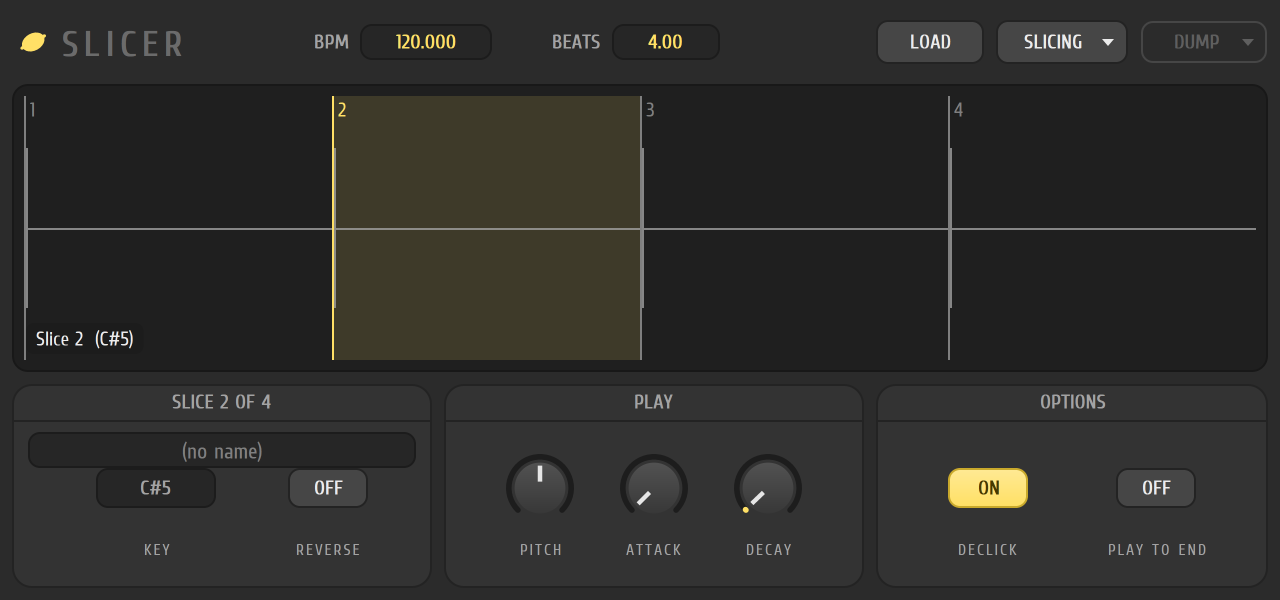
Lemon Slicer takes a loop, such as a drum break, and cuts it into slices. Each slice gets its own key, so you can replay the loop in a new order, from the piano roll. It’s built into Lemon Studio and also comes as a VST3 and CLAP plugin for other DAWs.
Get a sound quickly
Section titled “Get a sound quickly”- Add Lemon Slicer from the ADD menu and click its name in the instrument rack.
- Click LOAD and choose a loop.
- Click SLICING and choose Medium auto-slicing. The waveform is cut into slices.
- Click a slice on the waveform to hear it. Slice 1 plays on C5, slice 2 on C#5, and so on up the keyboard.
- Click SEND and choose Normal to write one note per slice into the piano roll, in the order they have in the loop. Press Space to play it.
Choosing where the slices fall
Section titled “Choosing where the slices fall”The SLICING menu has three ways to cut:
- Use the sample’s own slices uses the markers saved in the file. It’s available for WAV files.
- Gentle, Medium and Sharp auto-slicing look for sudden hits in the sound, at three sensitivities.
- Beat and its fractions (1/2 beat, 1/3 beat, 1/4 beat and 1/6 beat) cut at even steps.
No slicing removes the cuts, and Move slices to zero crossings moves each cut to a point where the wave crosses zero, so slices are less likely to click. The BPM and BEATS boxes tell the slicer the loop’s tempo and length. Click either one to type a value.
Playing and shaping slices
Section titled “Playing and shaping slices”- PITCH, ATTACK and DECAY shape every slice.
- DECLICK smooths the edges of slices, and PLAY TO END lets each slice play out in full.
- With a slice selected, REVERSE plays just that slice backwards, and KEY changes the key it plays on.
Sending slices to the piano roll
Section titled “Sending slices to the piano roll”SEND has two choices:
- Normal spreads the slices over the loop’s length in beats, whatever the project’s tempo.
- Original length places each slice at its real time in the loop, at the project’s tempo.
Every slice becomes one note on its own key. SEND needs a loop with slices, and it works inside Lemon Studio only. In another DAW the button stays greyed out.
Related
Section titled “Related”- Piano roll
- Instrument rack
- Lemon Sampler, to play a whole sample
- Tesla, which can send a sample to a new Lemon Slicer channel