 Lemon wiki
Lemon Chorus
Lemon Chorus thickens a sound by mixing in slightly delayed copies whose timing wobbles. Use it to widen a pad, shimmer a guitar or take the edge off a thin synth.
It’s built into Lemon Studio, and also comes as a VST3 and CLAP plugin for other DAWs.
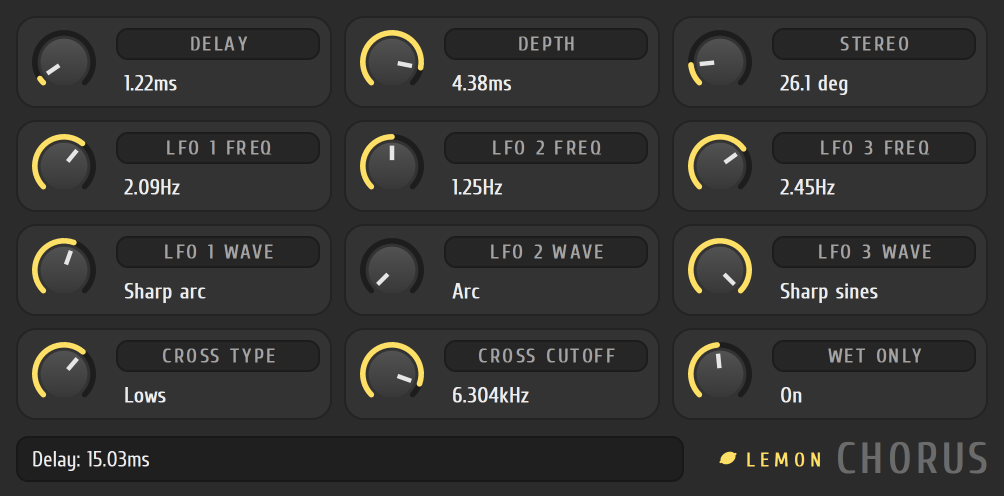
Widen a pad
Section titled “Widen a pad”- Put Lemon Chorus in an effect slot on the track in the mixer.
- Set DELAY to around 15 ms and DEPTH to around 2 ms.
- Turn STEREO up so the left and right sides wobble out of step.
- Set the three LFO FREQ tiles to different slow speeds, such as 0.3, 0.5 and 0.8 Hz.
- Set CROSS TYPE to Highs and CROSS CUTOFF around 300 Hz, so the bass stays solid.
The tiles
Section titled “The tiles”Each tile is a knob with its name and current value. Turn it by dragging anywhere on the tile.
| Tile | What it does |
|---|---|
| DELAY, DEPTH | How long the copy is delayed, and how far its timing swings |
| STEREO | How far the right side’s wobble runs ahead of the left |
| LFO 1, 2, 3 FREQ | The speeds of the three LFOs that move the delay |
| LFO 1, 2, 3 WAVE | Each LFO’s shape: Arc, Sharp arc, Sines or Sharp sines |
| CROSS TYPE | Whether the highs or the lows go through the chorus |
| CROSS CUTOFF | Where the sound is split |
| WET ONLY | Leaves out the original, so you hear only the chorus. Use it on a send |
- Three slightly different LFO speeds make a more natural wobble than one.
- Use WET ONLY on a send, and balance it with the track’s send level.