 Lemon wiki
Lemon Soft Clipper
Lemon Soft Clipper rounds off the tops of a sound instead of cutting them flat. Use it to catch stray peaks, add a little warmth to drums, or push a sound louder without the harshness of hard clipping.
It’s built into Lemon Studio, and also comes as a VST3 and CLAP plugin for other DAWs.
Tame your peaks
Section titled “Tame your peaks”- Put Lemon Soft Clipper in an effect slot on a mixer track.
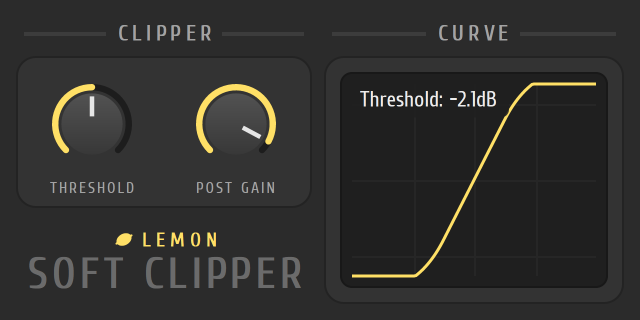
- Play the loudest part of the track and turn THRESHOLD down. Peaks above the threshold start to round off, and the curve on the right bends to show it.
- Use POST GAIN to bring the level back up, or down if the sound got too loud.
The controls
Section titled “The controls”| Control | What it does |
|---|---|
| THRESHOLD | The level where rounding starts. Lower values clip more of the sound |
| POST GAIN | The output level after clipping |
| CURVE | The graph of what goes in against what comes out |
- Use gentle settings on the Master to catch the odd peak.
- For a harder edge, try Lemon Fast Distortion.