 Lemon wiki
Press
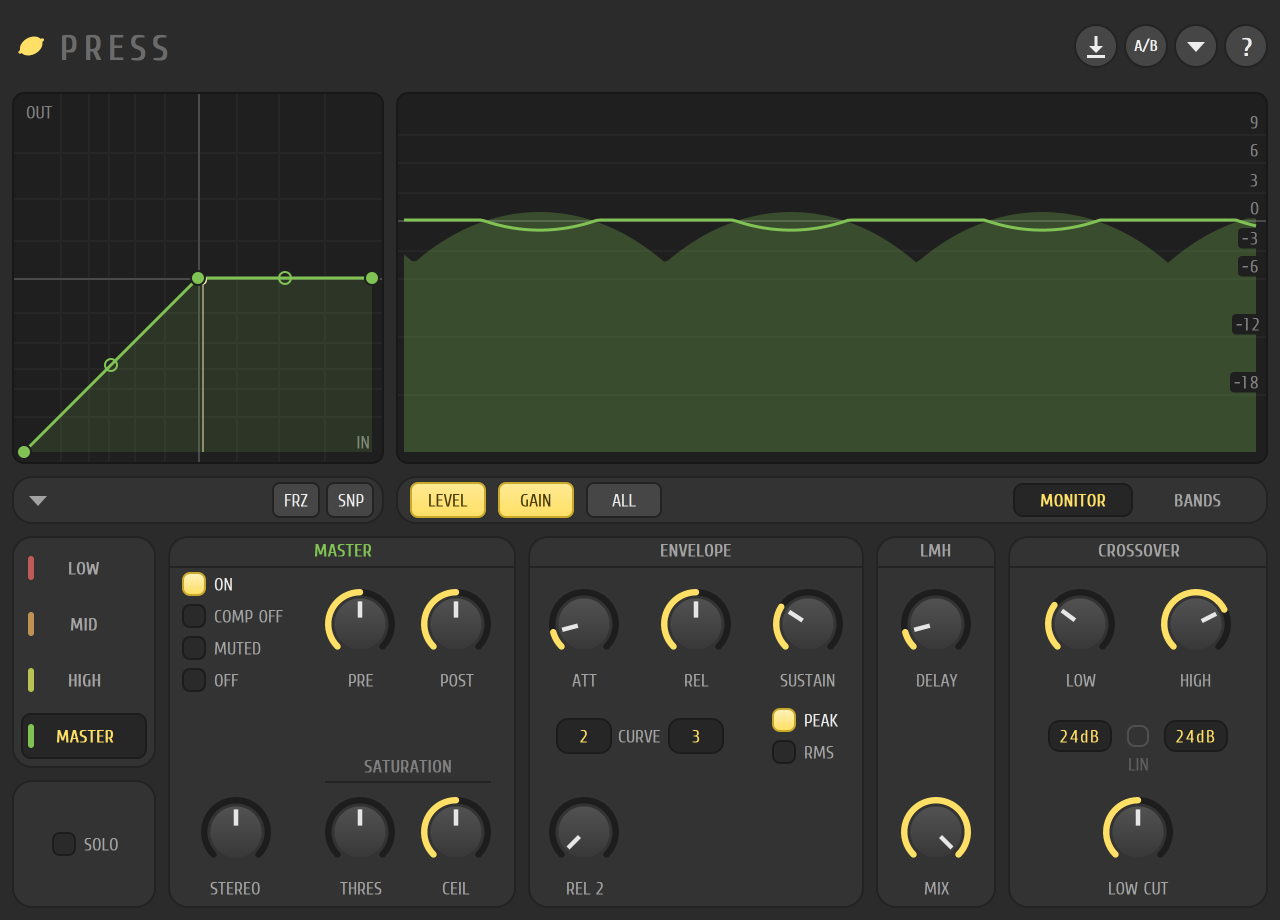
Press makes a mix louder and denser. It splits the sound into low, mid and high bands, squeezes and limits each one on its own, and then treats the whole sound with a master band. Use it on the Master for a finished-sounding loudness, or on a single track to thicken it.
It’s built into Lemon Studio, and also comes as a VST3 and CLAP plugin for other DAWs.
Make a mix louder
Section titled “Make a mix louder”- Put Press in an effect slot on the Master track in the mixer.
- Play the loudest part of your song. In the monitor at the top right, the LEVEL and GAIN buttons show what each band is doing.
- Click the MASTER tab at the left. Raise PRE to push the sound in harder, and set CEIL to the level you don’t want to pass.
- Click the LOW, MID and HIGH tabs and do the same for each band. The BANDS tab on the monitor shows the three regions, and you can drag their edges to move the crossover.
- Use SOLO to listen to the band you’re working on.
The window
Section titled “The window”- Map. At the top left, the curve for the shown band. Drag its points, drag the circle between two points to bend the line, and right-click to add one. FRZ hides the points and SNP snaps them to a grid.
- Monitor. At the top right, a scrolling display of the band’s level and gain. The LEVEL, GAIN and ALL buttons choose what to draw, and the MONITOR and BANDS tabs switch to the crossover view.
- Band tabs. LOW, MID, HIGH and MASTER, with SOLO below them.
- Band card. The mode list (ON, COMP OFF, MUTED, OFF), the PRE and POST gains, STEREO (the band’s stereo width), and under SATURATION, THRES and CEIL.
- ENVELOPE. ATT, REL, REL 2 and SUSTAIN, with a CURVE step count under ATT and REL. PEAK and RMS choose how the level is read.
- LMH. A DELAY and a MIX that apply across the three bands.
- CROSSOVER. LOW and HIGH set where the bands split. Each has a slope box you click to flip between 12 and 24 dB. LOW CUT removes rumble at the bottom of the sound.
The buttons in the top right of the window store the settings, swap between two sets of settings, open options and show an info page.
The LIN switch in the crossover card shows a linear-phase crossover mode that isn’t played yet, so it’s greyed out.
- Start gently. Small changes in PRE are heard clearly on a full mix.
- Set a band’s mode to MUTED while you check what the others are doing.
- A touch of LOW CUT removes rumble you can’t hear but that still takes up room.