 Lemon wiki
Lemon Stereo Enhancer
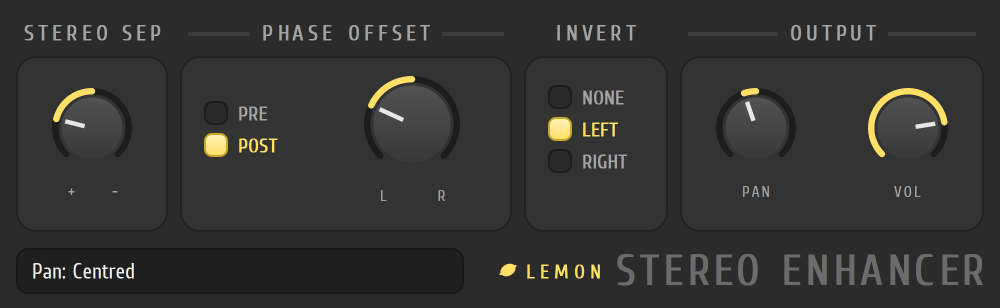
Lemon Stereo Enhancer makes a stereo sound wider or narrower, and can nudge one side slightly in time. Use it to open up a thin pad, narrow a sound that’s too wide, or fix a track whose two sides cancel each other.
It’s built into Lemon Studio, and also comes as a VST3 and CLAP plugin for other DAWs.
Open up a pad
Section titled “Open up a pad”- Put Lemon Stereo Enhancer in an effect slot on a mixer track.
- In the STEREO SEP card, turn the knob one way to separate the sides more, or the other way to merge them toward the middle. Its value reads “separated” or “merged”.
- For extra width, turn the big knob in the PHASE OFFSET card toward L or R. This delays one side by a very short time.
- Check the result in mono if you can. A big phase offset can thin the sound when the sides are added together.
The cards
Section titled “The cards”| Card | What it does |
|---|---|
| STEREO SEP | Separates the sides, or merges them. At the middle it does nothing |
| PHASE OFFSET | Delays the left or the right side by a few milliseconds. PRE or POST places it before or after the separation |
| INVERT | Flips the polarity of LEFT or RIGHT, or NONE. Use it to fix a track with one side out of phase |
| OUTPUT | PAN and VOL |
- Start small. A little separation goes a long way.
- If a sound loses weight when you check it in mono, back the phase offset off.